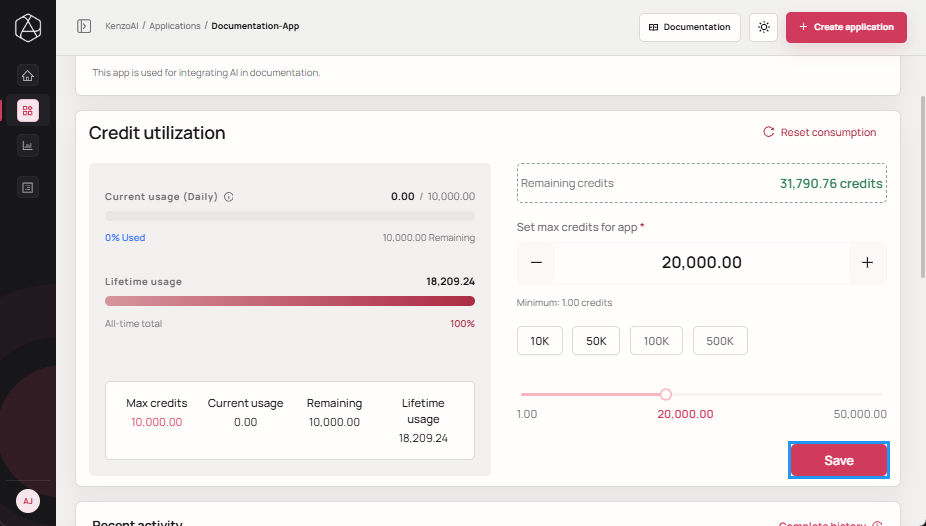
Set Max Credits
The Max Credits setting defines the upper limit on how many credits an application can consume within a reset cycle. This control helps manage costs, prevent runaway usage, and enforce budget boundaries at the application level.
note
- Max Credits limit applies per application and is enforced independently of the account-level credit pool.
- Updating Max Credits does not restore credits already consumed from the subscription balance.
Set Max Credits from Applications List
-
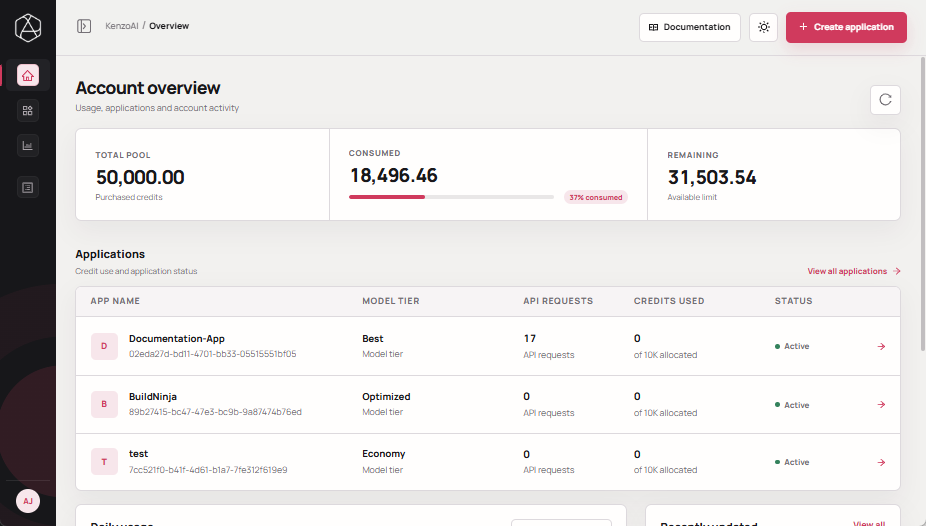
Open kenzoAI Overview.
-
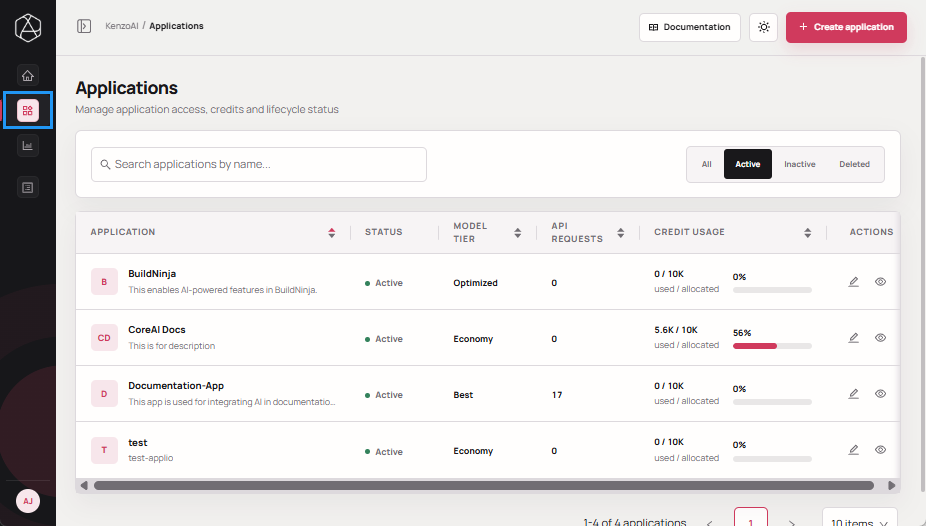
Navigate to Applications.
-
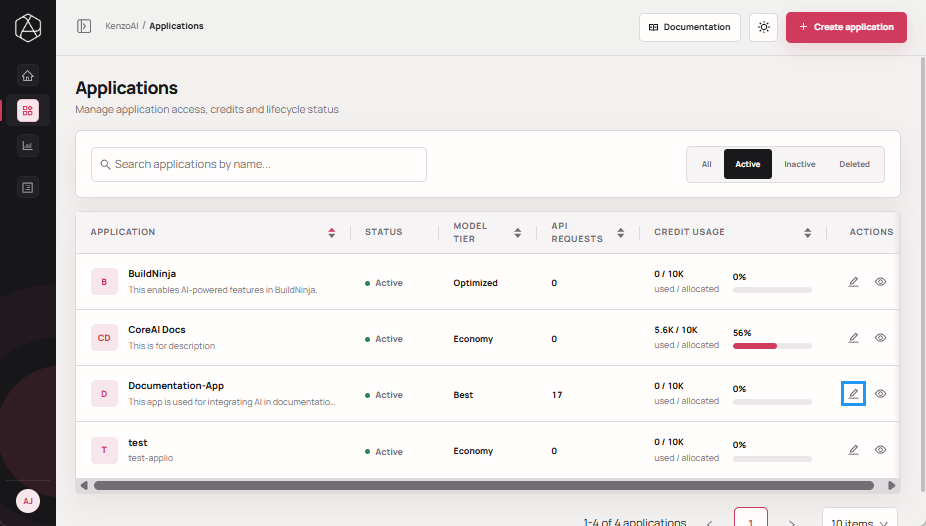
Locate the application you want to update, and click Edit app.
-
Enter the required Max credits value.
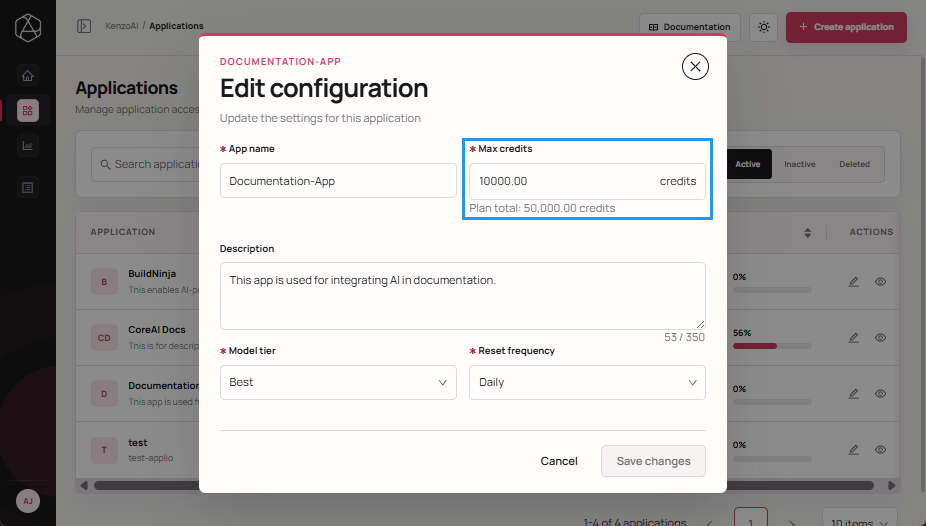
-
Click Save changes to apply the update.
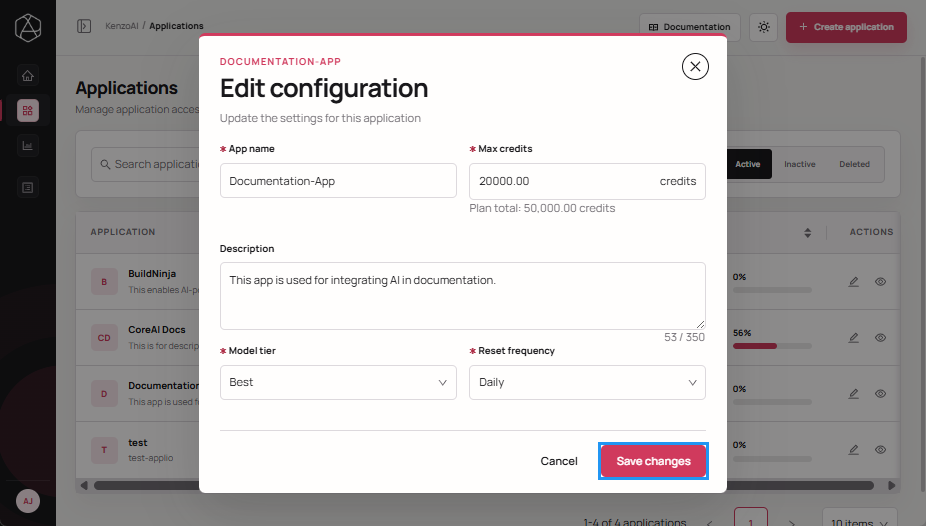
Set Max Credits from Application Overview
-
Open kenzoAI Overview.
-
Navigate to Applications.
-
Open the Application Overview using one of the following methods:
-
Click the application.
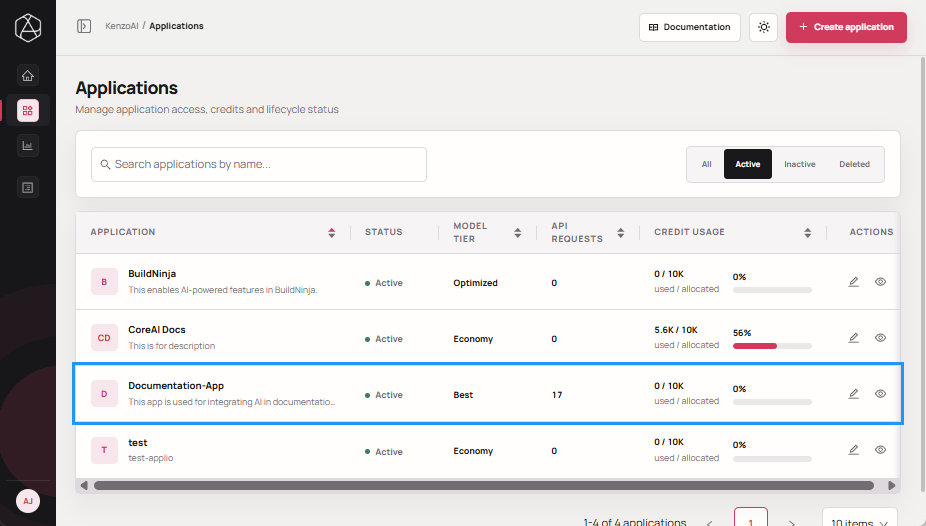
-
Click View details in the Actions column.
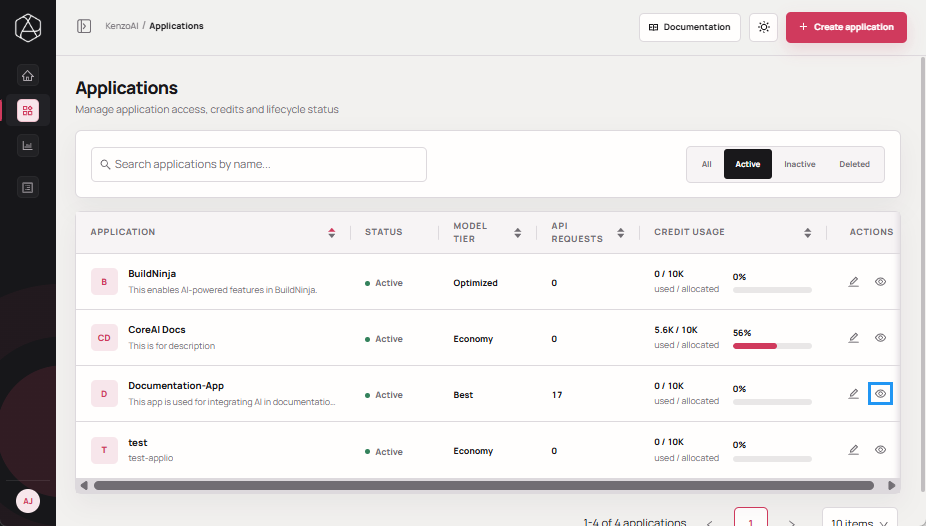
-
-
Enter the required max credits value.
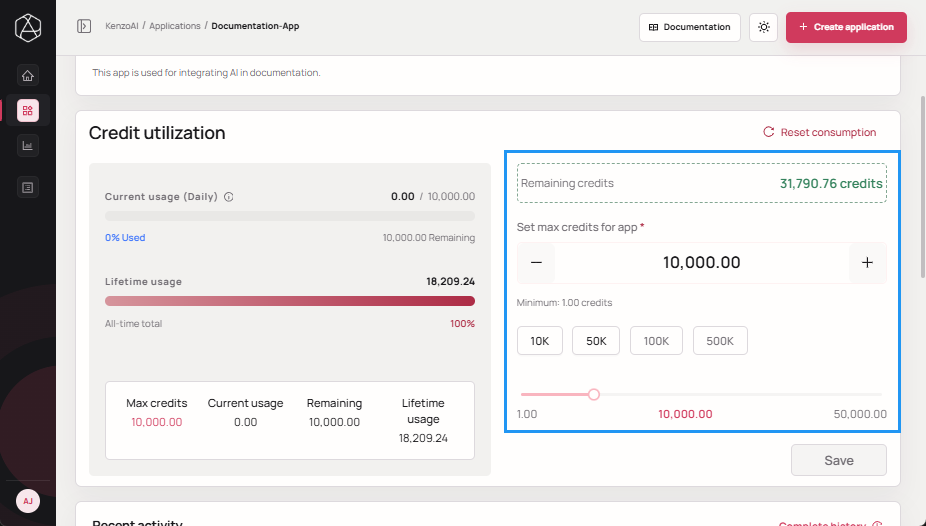
-
Click Save to apply the update.