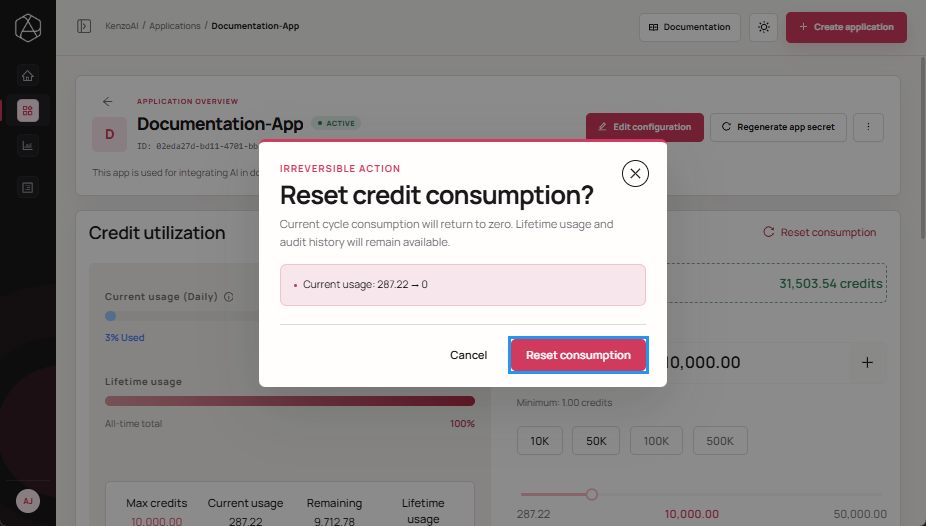
Reset Consumption
Resetting consumption clears the recorded consumed credits for an application without deleting the application or changing its credentials. This action is typically used to restart credit consumption for an application after it has consumed its allowed credits, enabling the application to consume credits again from the available account-level credit pool.
note
- Resetting consumption affects only the application-level usage records.
- Application credentials and configuration settings remain unchanged.
- This action does not restore credits already deducted from the account-level credit pool.
-
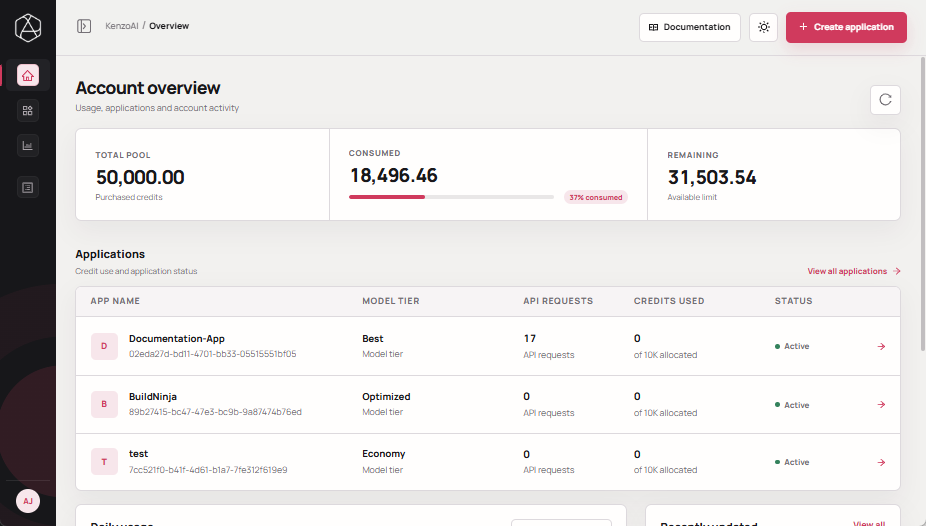
Open kenzoAI Overview.
-
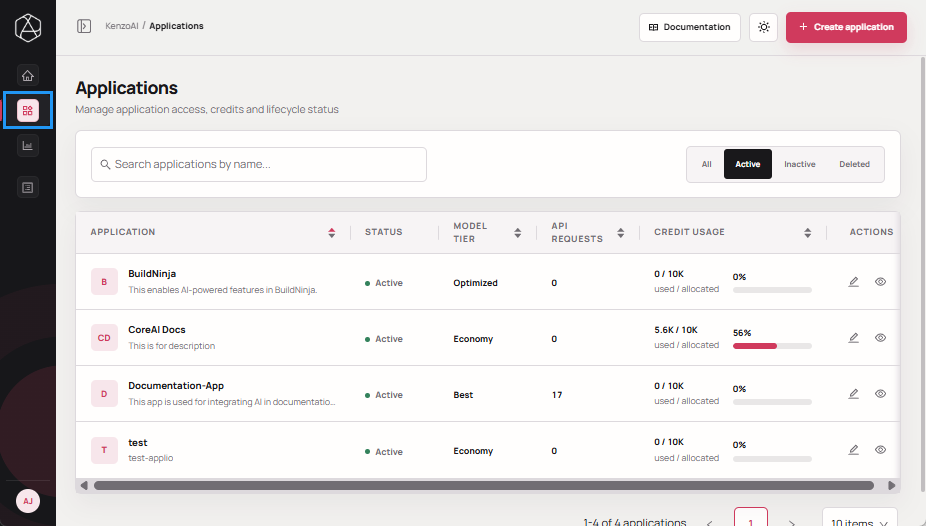
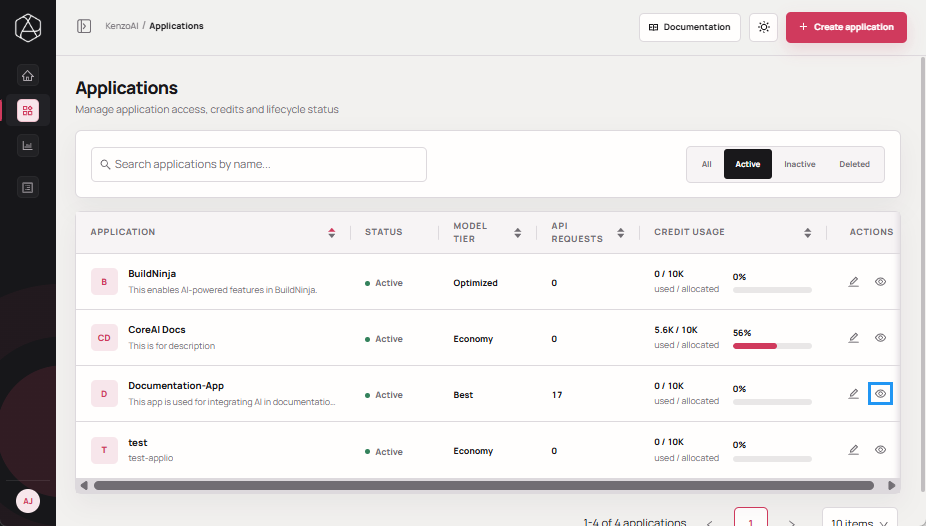
Navigate to Applications.
-
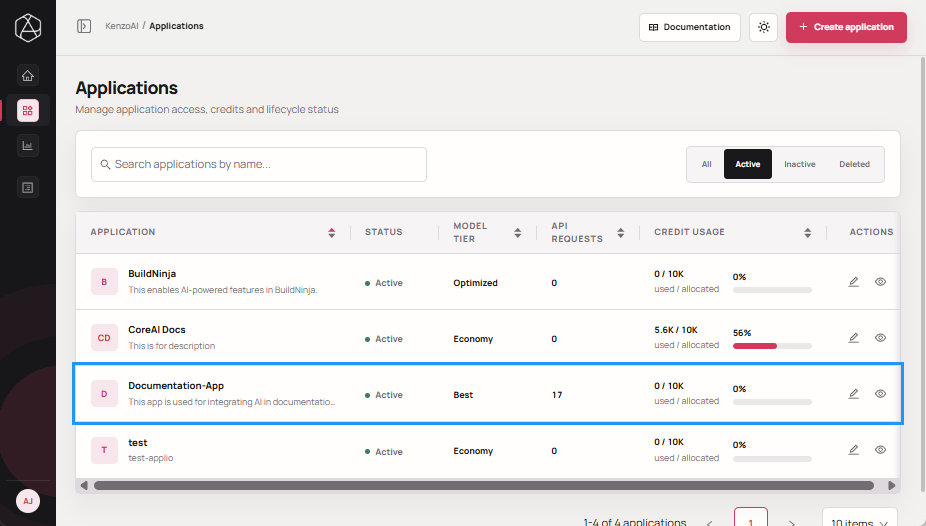
Open the Application Overview using one of the following methods:
-
Click the application.
-
Click View details in the Actions column.
-
-
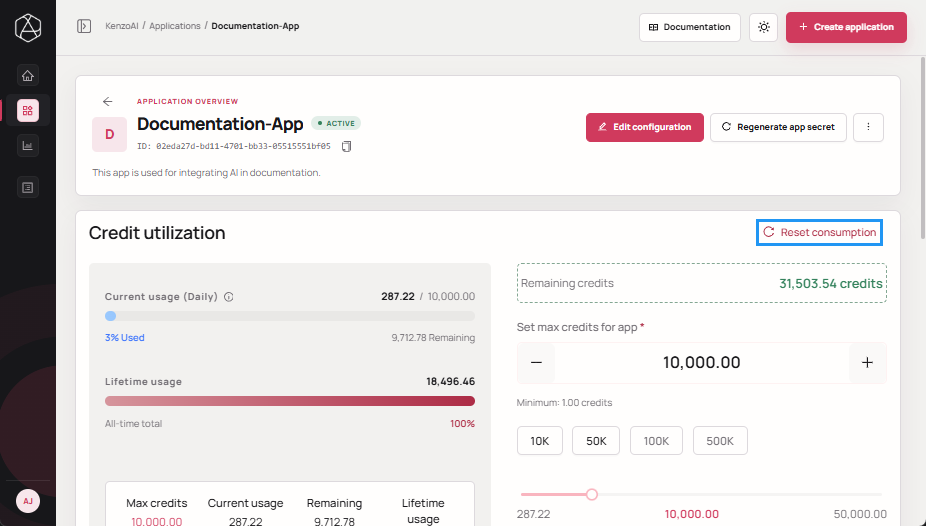
Click Reset consumption.
-
Click Reset consumption to confirm the action.