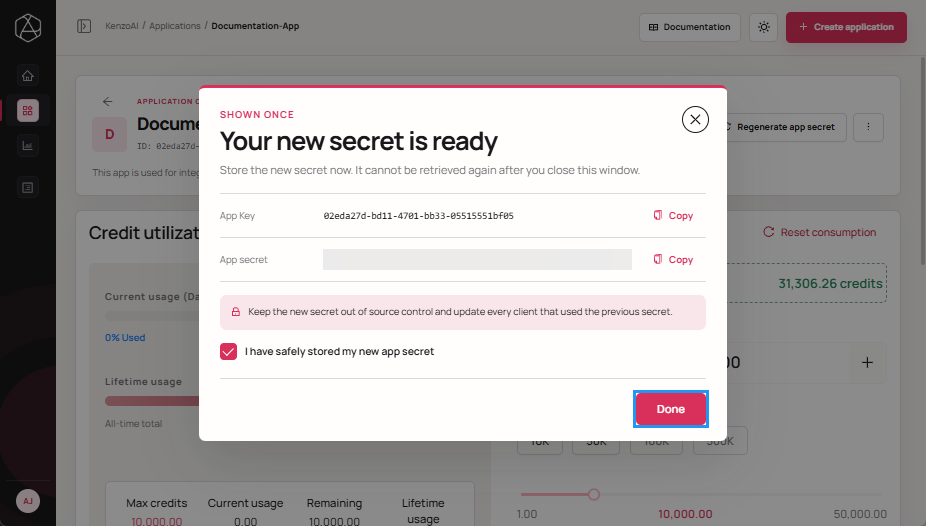
Regenerate Application Secret
Each application uses an App Secret to authenticate requests to the platform. Regenerating the App Secret replaces the existing credential and immediately invalidates the previous one. This action is commonly performed when a secret is compromised, as part of routine credential rotation, or to revoke access for existing integrations.
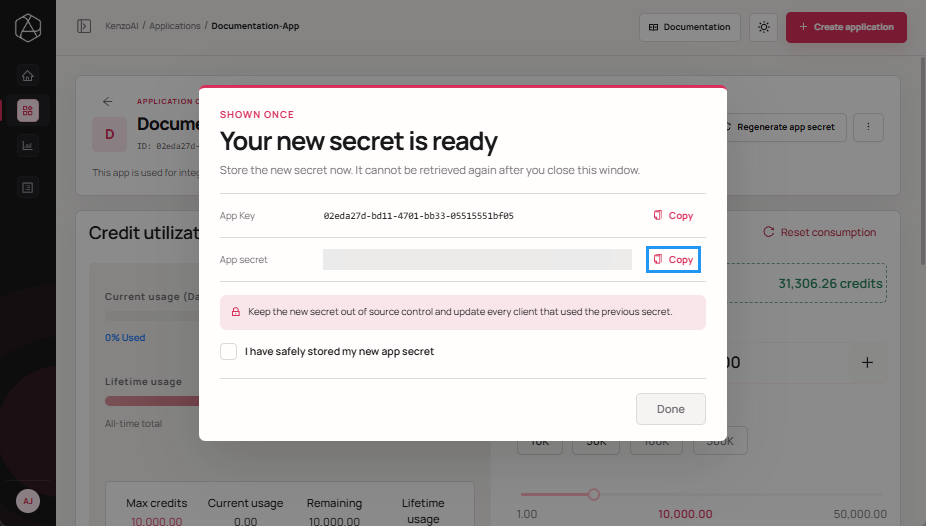
- The new App Secret is displayed only once and cannot be retrieved later.
- All integrations using the previous secret will stop working immediately.
- Update dependent services and integrations promptly to avoid authentication failures.
- Store App Secrets securely using environment variables or a secrets manager.
-
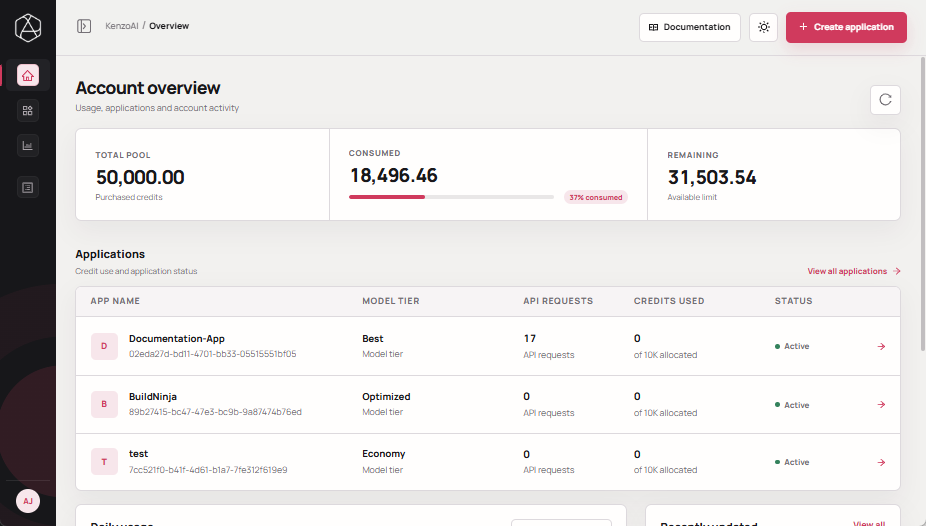
Open kenzoAI Overview.
-
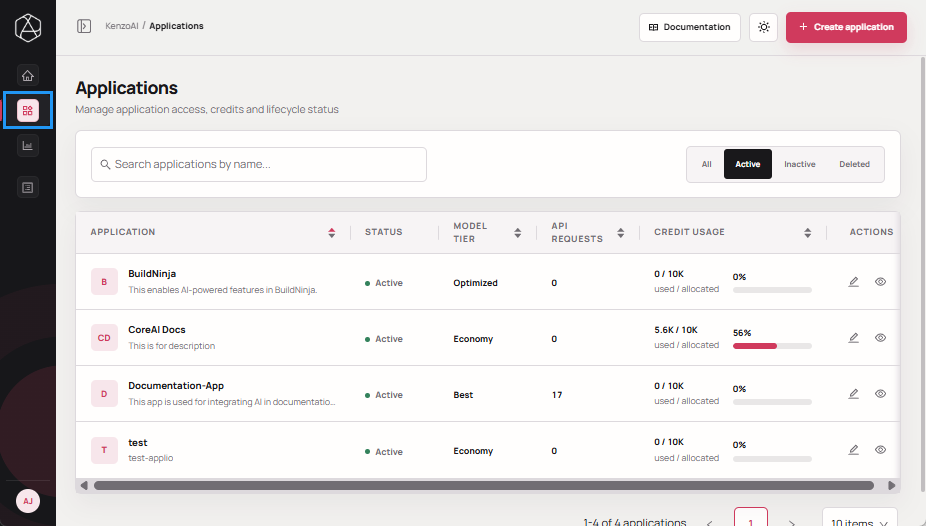
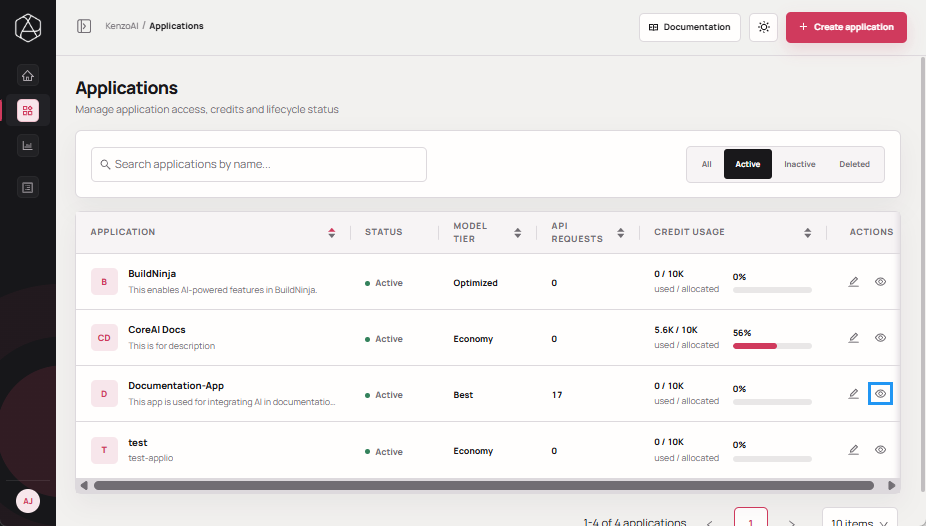
Navigate to Applications.
-
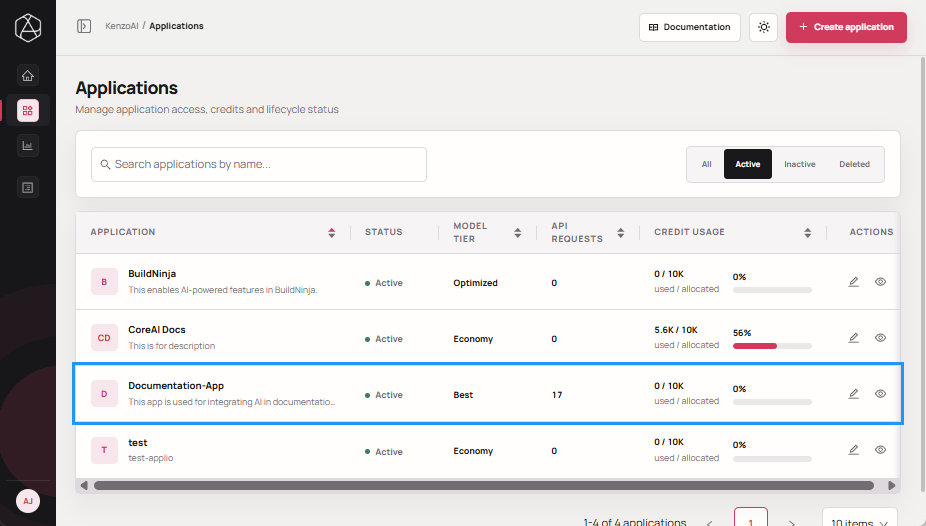
Open the Application Overview using one of the following methods:
-
Click the application.
-
Click View details in the Actions column.
-
-
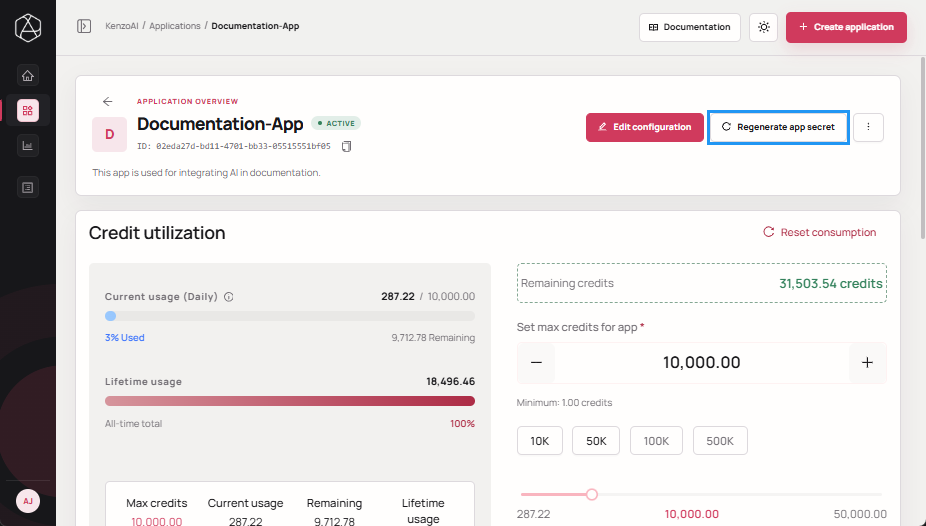
Click Regenerate app secret.
-
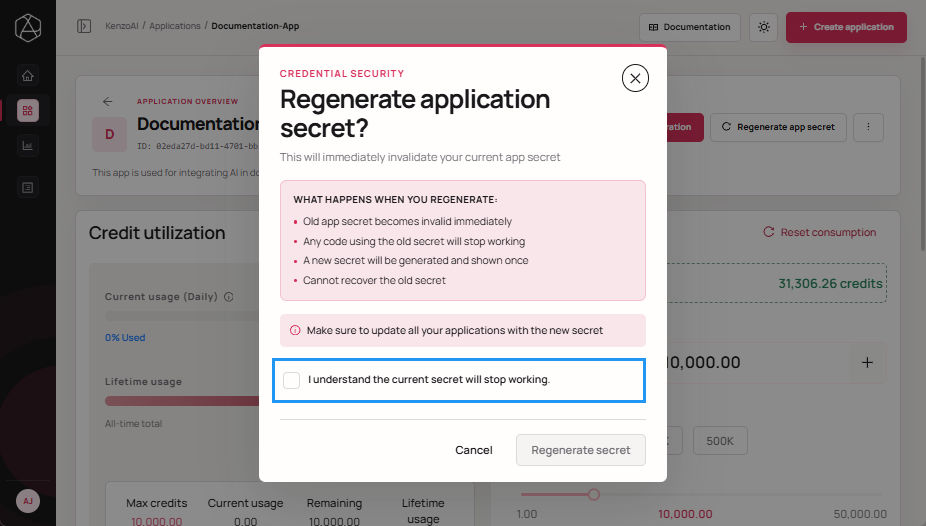
Select the acknowledgment checkbox.
-
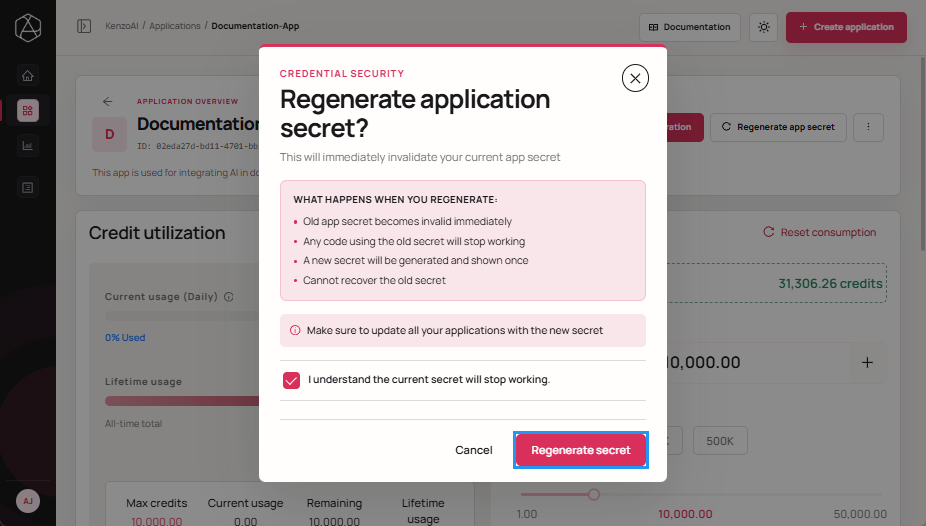
Click Regenerate secret to confirm the regeneration.
-
Copy the newly generated App secret and store it securely.
-
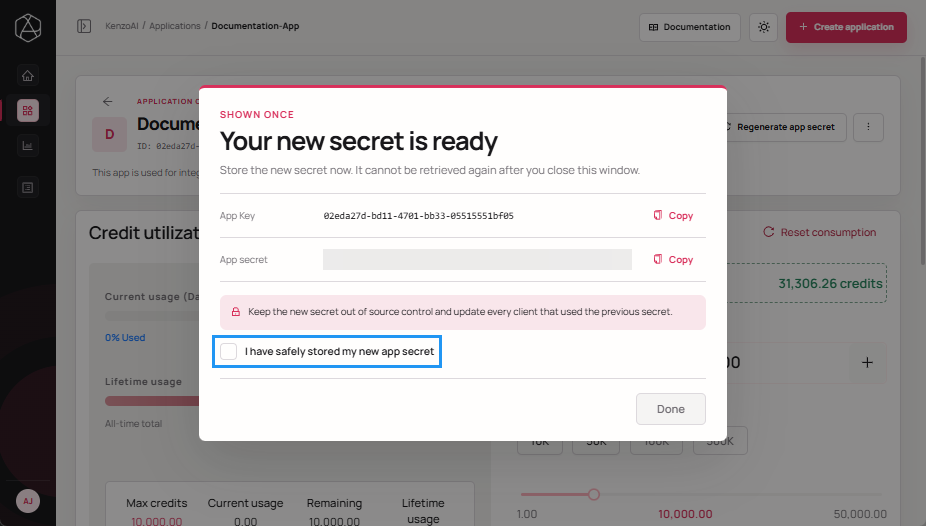
Select the acknowledgment checkbox.
-
Click Done to close the confirmation dialog.