kenzoAI Developer Portal Overview
The kenzoAI Developer Portal Overview provides a centralized view of your account's credit usage and application activity. It gives account owners and administrators a quick snapshot of consumption, daily usage, and recently updated applications, while providing direct access to ApplicationsApplications in kenzoAI represent isolated units of AI usage. Each application maintains its own authentication credentials, usage metrics, and configurable limits. to manage applications or Usage analyticsUsage analytics provides a centralized view of credit consumption across your account, helping administrators and account owners analyze usage patterns and manage credit allocation. for more detailed usage and credit insights.
Credits Summary
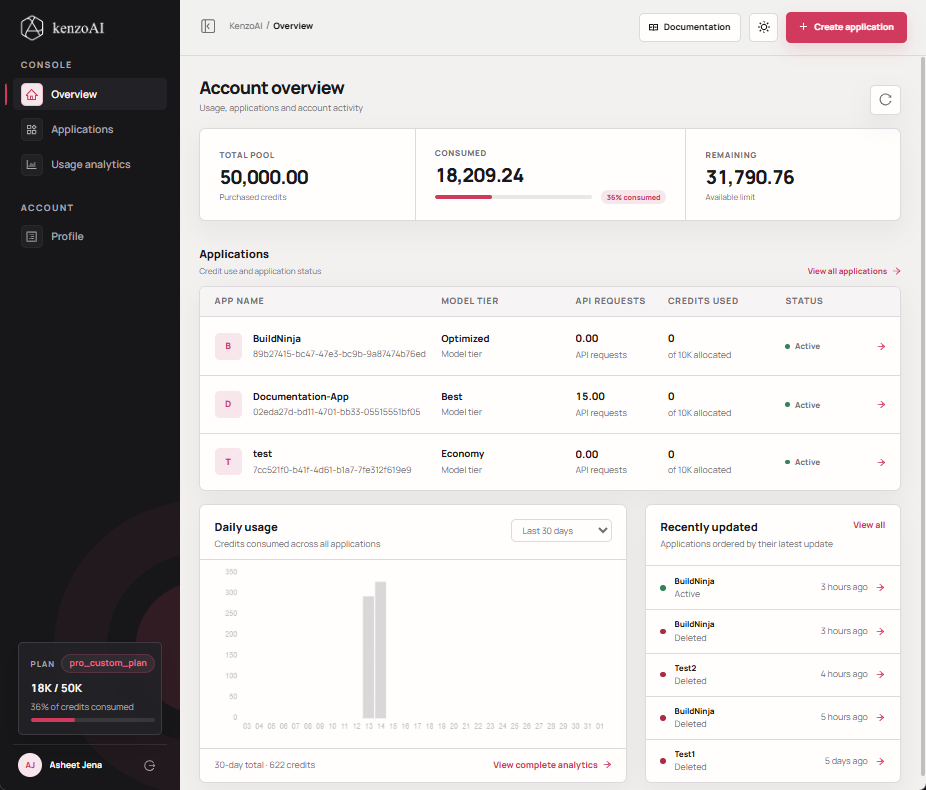
Credits Summary displays key information related to credit allocation and overall consumption for your kenzoAI account. This section provides a clear snapshot of your current credit status, helping you manage usage proactively. The summary includes:
- Total Pool: The total number of credits purchased.
- Consumed: The total credits used across all applications.
- Remaining: The credits still available for future consumption. When the account has overage credits, this field changes to Overage and displays the outstanding overage balance.
Review this summary regularly to track usage over time, prevent unexpected credit exhaustion, and plan future usage based on available capacity.
Applications
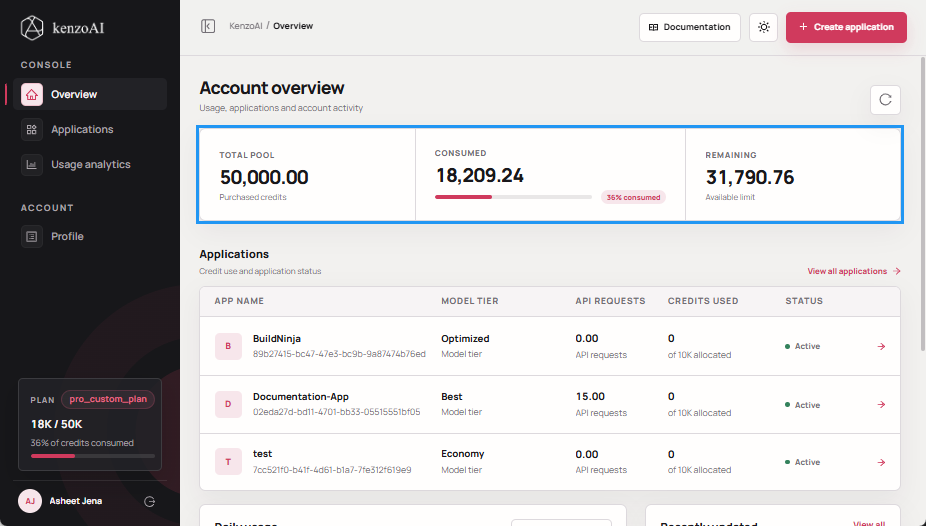
Applications provides a summary of application-level activity and credit consumption. The table displays information for each application, including:
- App Name: The name of the kenzoAI application.
- Model Tier: The model tier used by the application.
- API Requests: The number of API requests made using the application's App Key and App Secret, based on the audit log retention period.
- Credits Used: The number of credits consumed by the application.
- Status: The current status of the application.
Click an application to open its Application Overview and view more detailed information about that application. To view and manage all configured applications, click View all applications to navigate to Applications.
Daily Usage
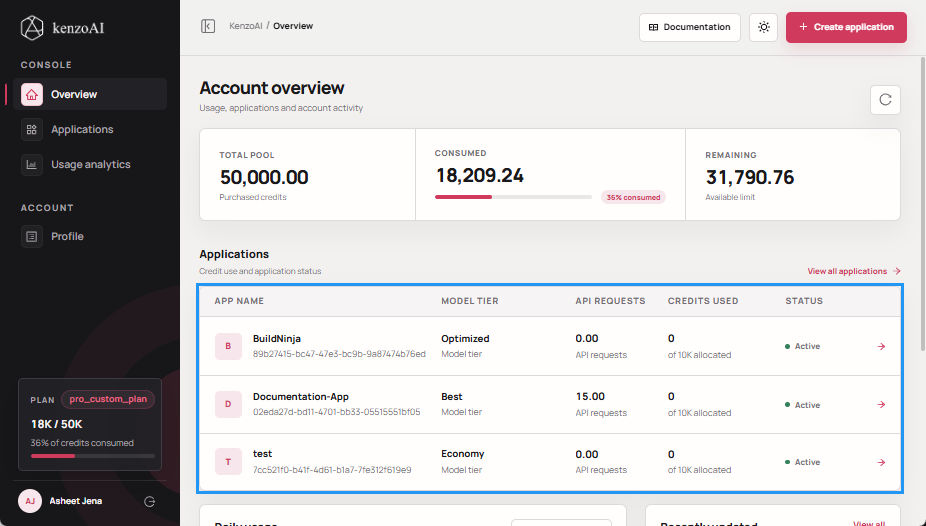
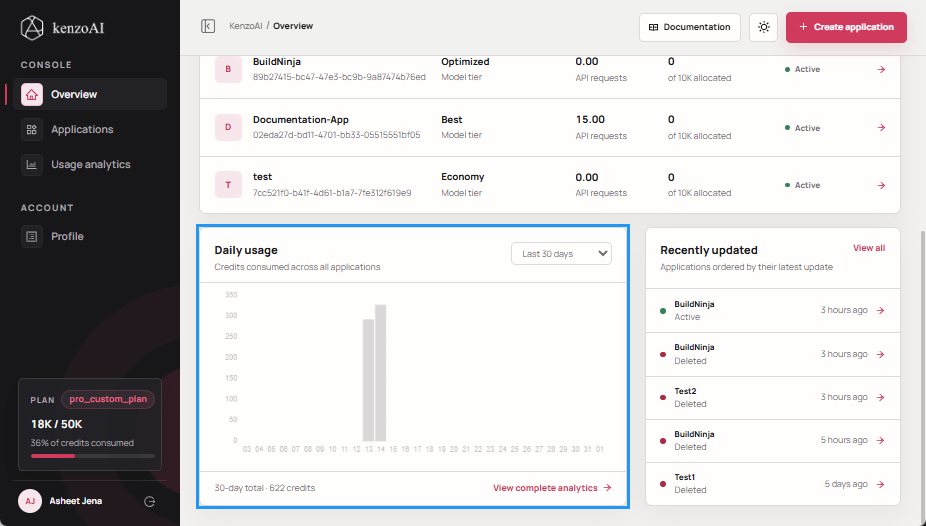
Daily usage provides a graphical view of credit consumption over a selected period. Use the filter to view usage for the last 7, 14, or 30 days. This view helps you:
- Monitor daily credit consumption.
- Identify increases, decreases, or unusual usage patterns.
- Understand consumption trends over a selected period.
To view more detailed usage information, click View complete analytics to navigate to Usage analytics.
Recently Updated
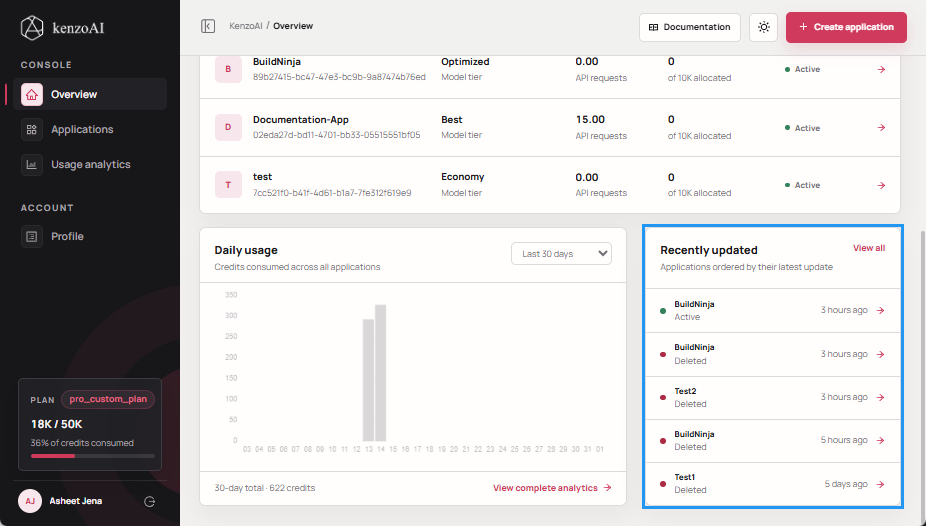
Recently updated displays applications that have been updated recently. Applications are ordered by the date and time of their latest update, with the most recently updated applications appearing first.
Click an application to open its Application Overview and view its details. To view and manage all applications, click View all to navigate to Applications.
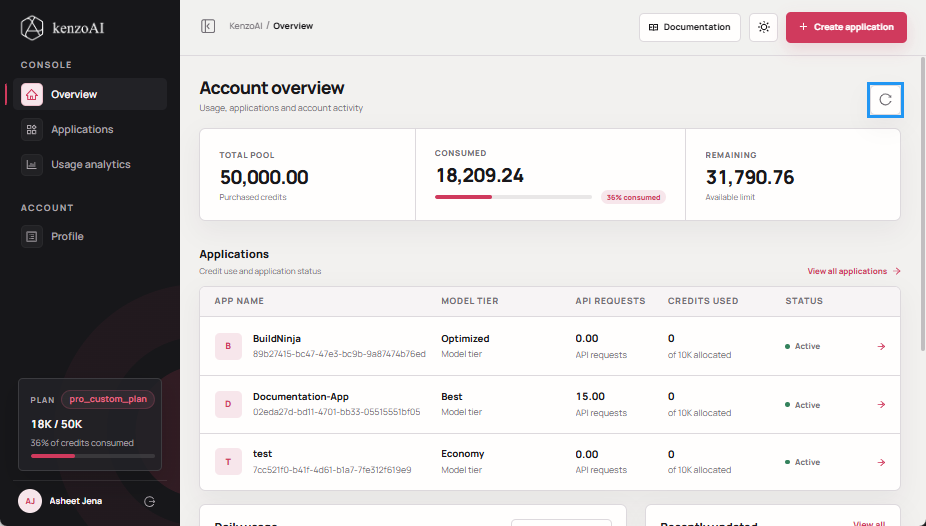
Refresh Your Plan
The Overview also provides a Refresh Plan button in the upper-right corner to refresh the credit and account information displayed in the Developer Portal.