Delete Application
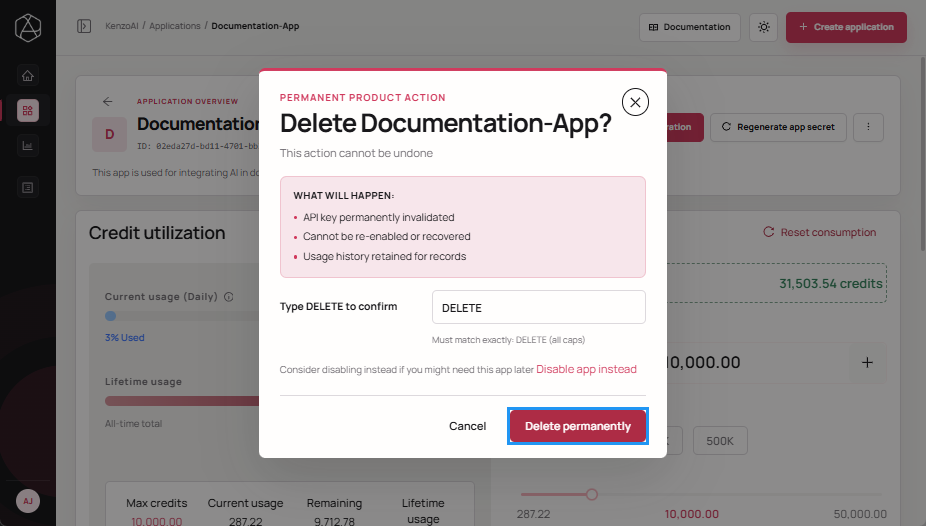
Deleting an application removes it from active use in kenzoAI. The application remains visible in the Developer Portal for the duration of the active plan’s audit log retention period, which is 7 days for free tier accounts and 90 days for paid accounts.
Once the time since the application’s last update exceeds the configured audit log retention limit, the application, usage data, and all associated activity are permanently deleted and can no longer be recovered.
Delete an application only when it is no longer required by any active integration, environment, or team.
Prerequisites
Before proceeding, ensure to:
- Verify that the application is not in use by any active integration.
- Review usage and consumption data for audit, billing, or compliance purposes.
- Ensure deletion aligns with organizational governance and retention policies.
- Deleted applications cannot be recovered.
- All associated configuration, credentials, and usage tracking will be removed.
- Deletion does not automatically revoke external integrations. Ensure dependent systems are updated accordingly.
-
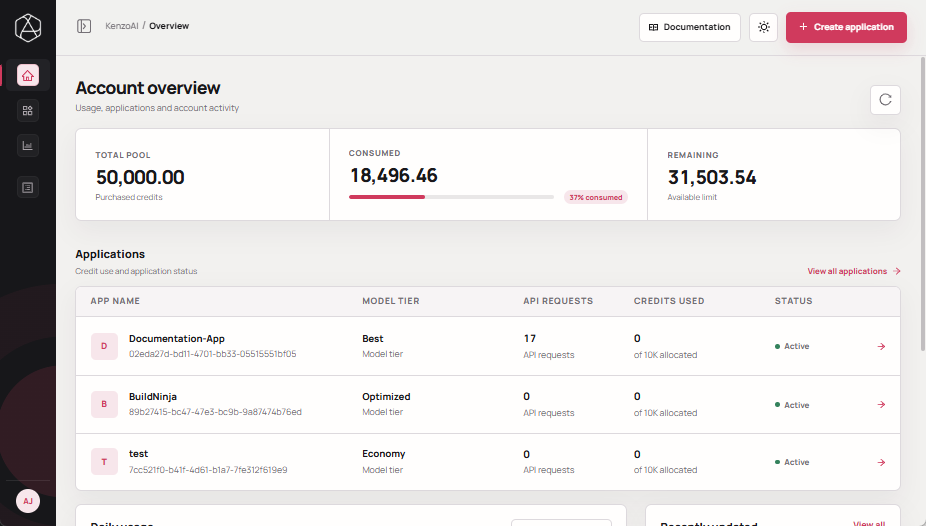
Open kenzoAI Overview.
-
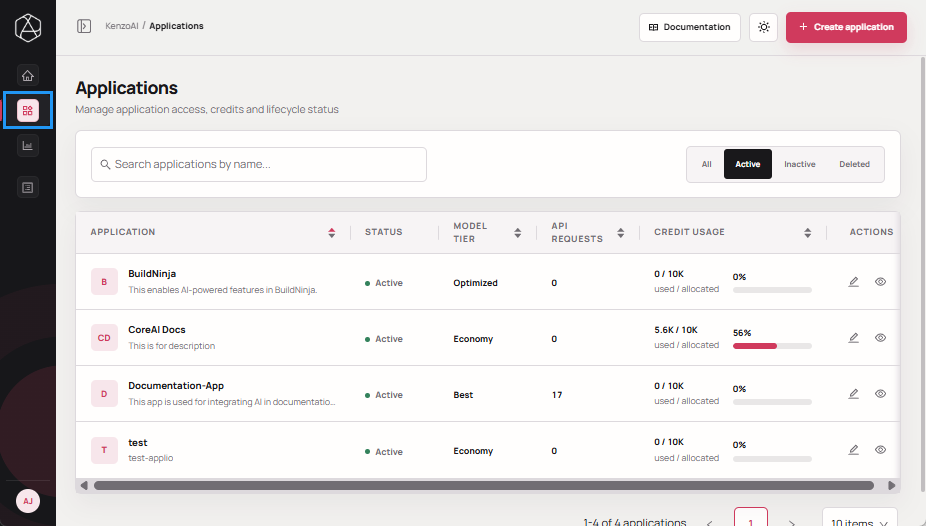
Navigate to Applications.
-
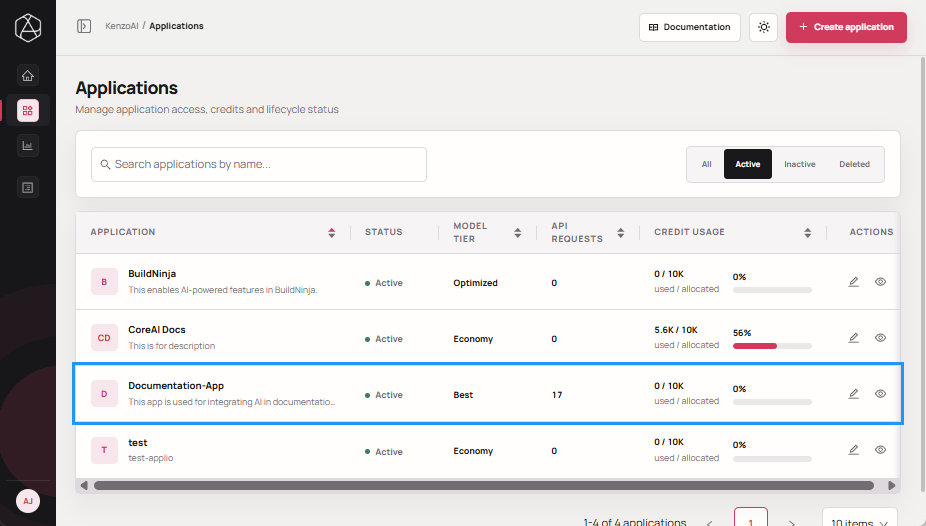
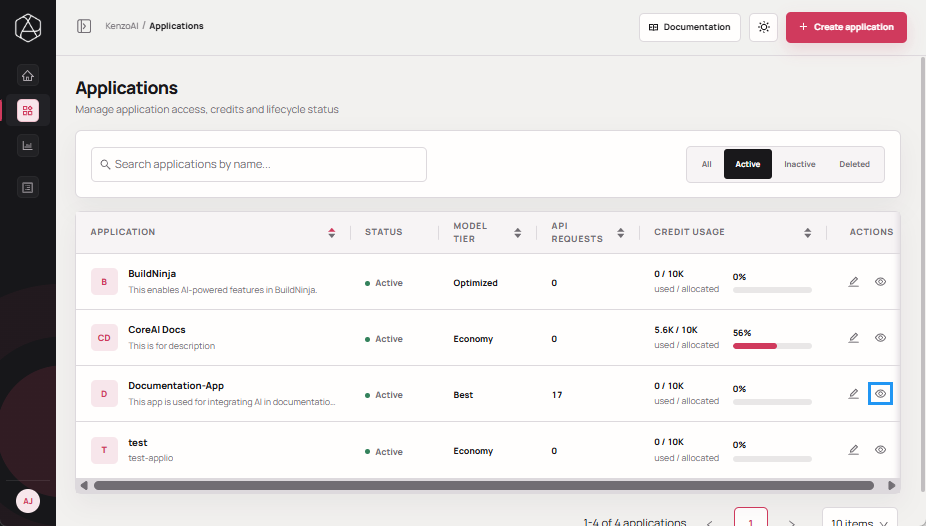
Open the Application Overview using one of the following methods:
-
Click the application.
-
Click View details in the Actions column.
-
-
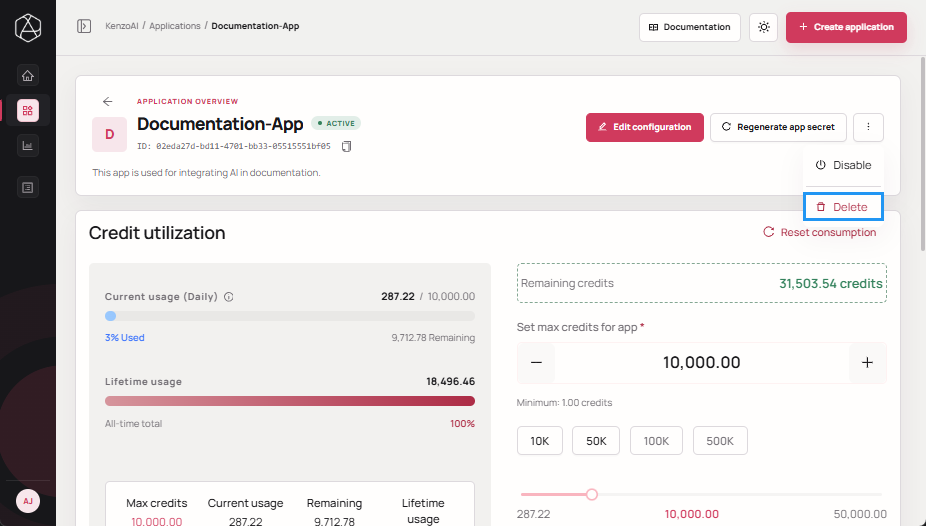
Click Ellipsis, then click Delete.
-
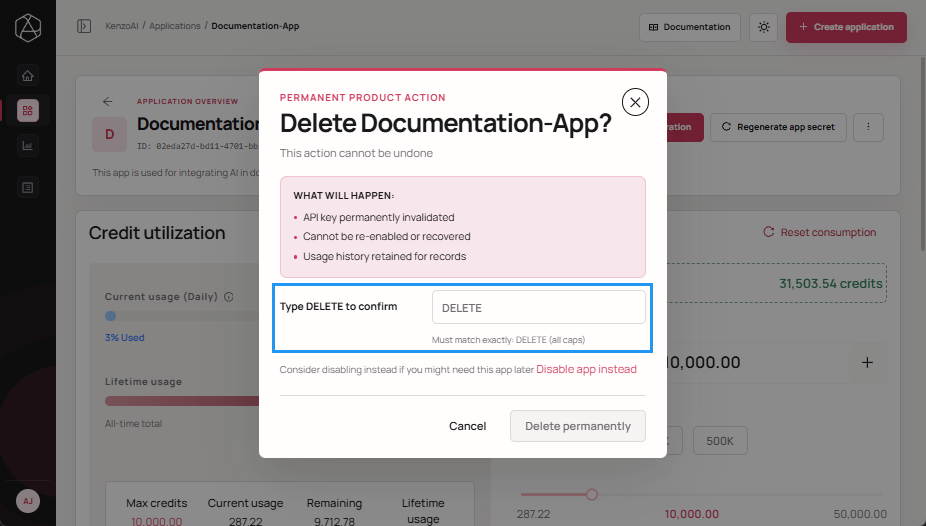
Enter DELETE to confirm the action.
-
Click Delete permanently to complete the deletion.