Delete Account
Delete Account allows you to request the permanent deletion of your kenzoAI account. This option is typically used during organizational offboarding, contract termination, or compliance-driven data removal.
Account deletion follows a scheduled and irreversible process. Once the request is submitted, the account is immediately marked for deletion and becomes inaccessible. All associated data, including applications, credentials, and usage history, is anonymized after a 30-day retention period. This action cannot be undone, and deleted data cannot be recovered.
Before requesting account deletion, ensure that:
- All applications and integrations are no longer required.
- Usage, billing, and activity data have been reviewed or archived for audit or compliance purposes.
- The action aligns with your organization's data retention and governance policies.
-
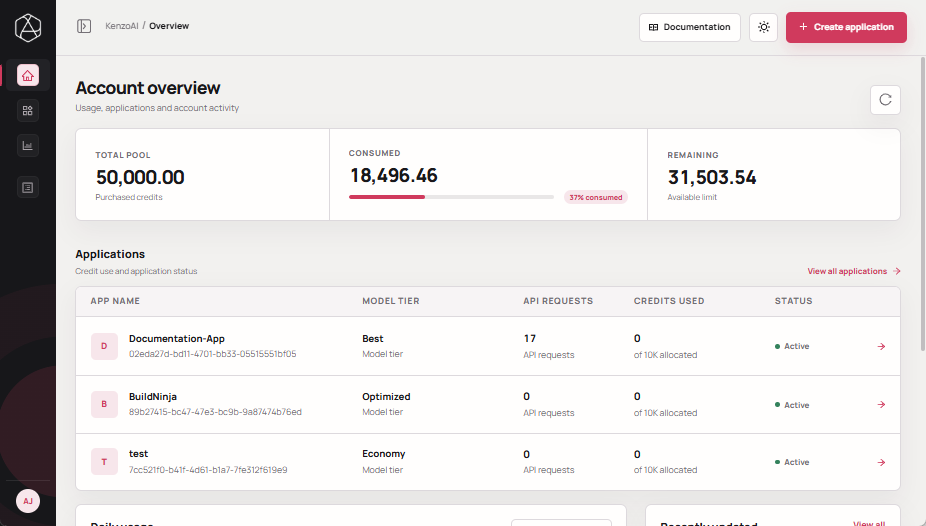
Open kenzoAI Overview.
-
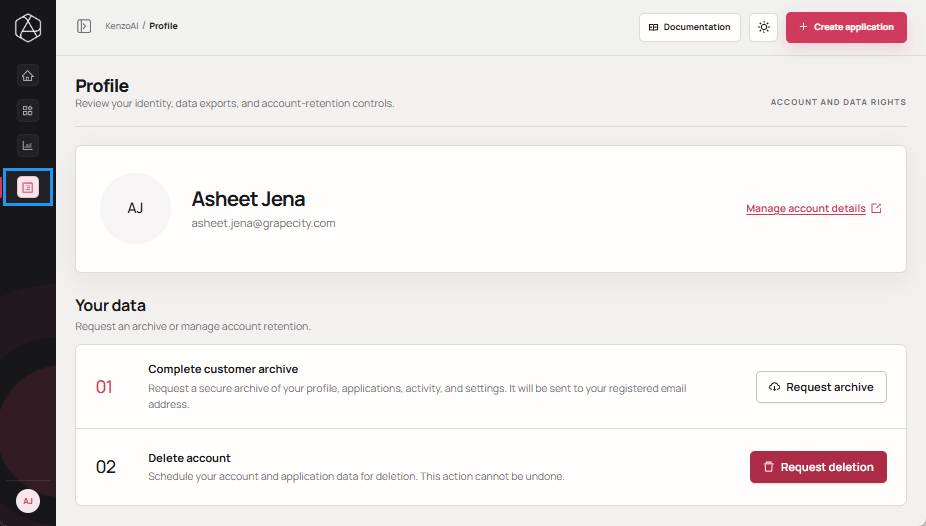
Navigate to your Profile.
-
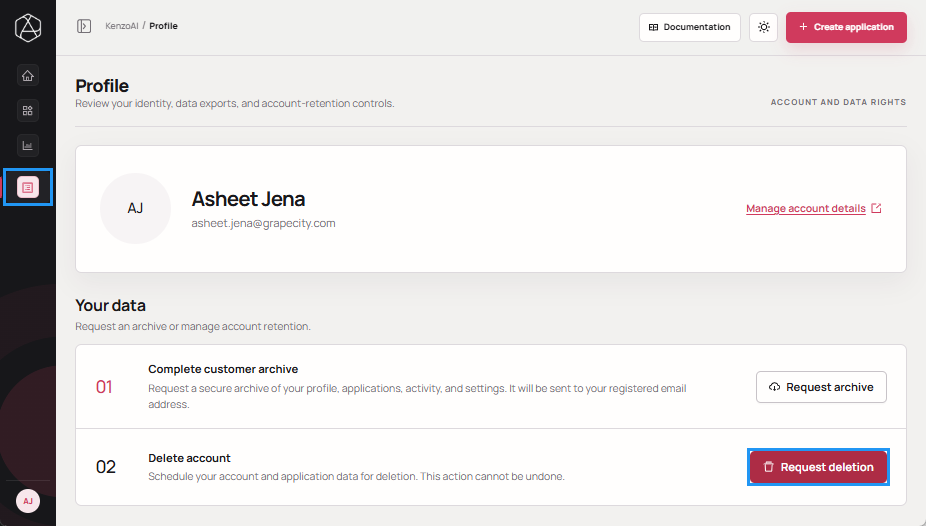
Click Request deletion.
-
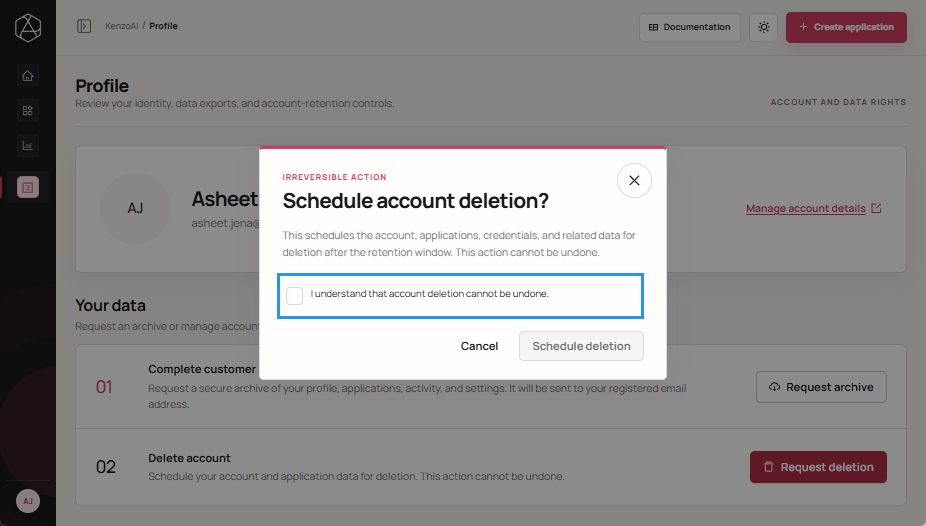
Select the acknowledgment checkbox.
-
Click Schedule deletion to submit the request.
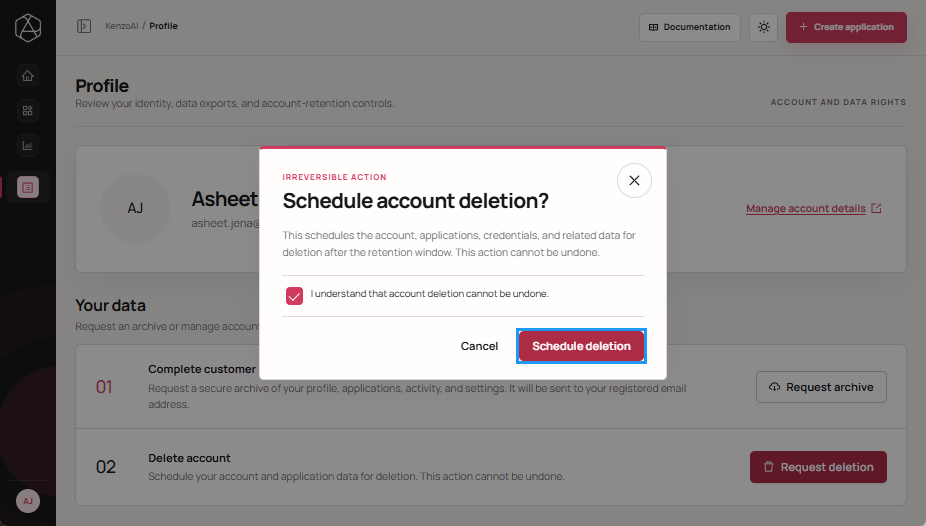 After confirmation, the account enters the deletion workflow and remains inaccessible. The associated data is anonymized after the 30-day retention period, after which the deletion cannot be reversed.